Zwift Indoor Cycling – The Future of Training in Your Living Room
Zwift indoor cycling is much more than an ordinary app – it's a digital revolution in the world of cycling.
Combining training, technology and fun, Zwift lets you ride through realistic virtual worlds using your own bike and a smart trainer – whatever the weather and wherever you are.
Founded in 2014, Zwift has grown from a small startup into a global community with over a million registered users. Today it connects recreational riders and professionals from around the world through group rides, races and training programs that boost fitness and motivation.
🌍 What Is Zwift and How Does It Work?
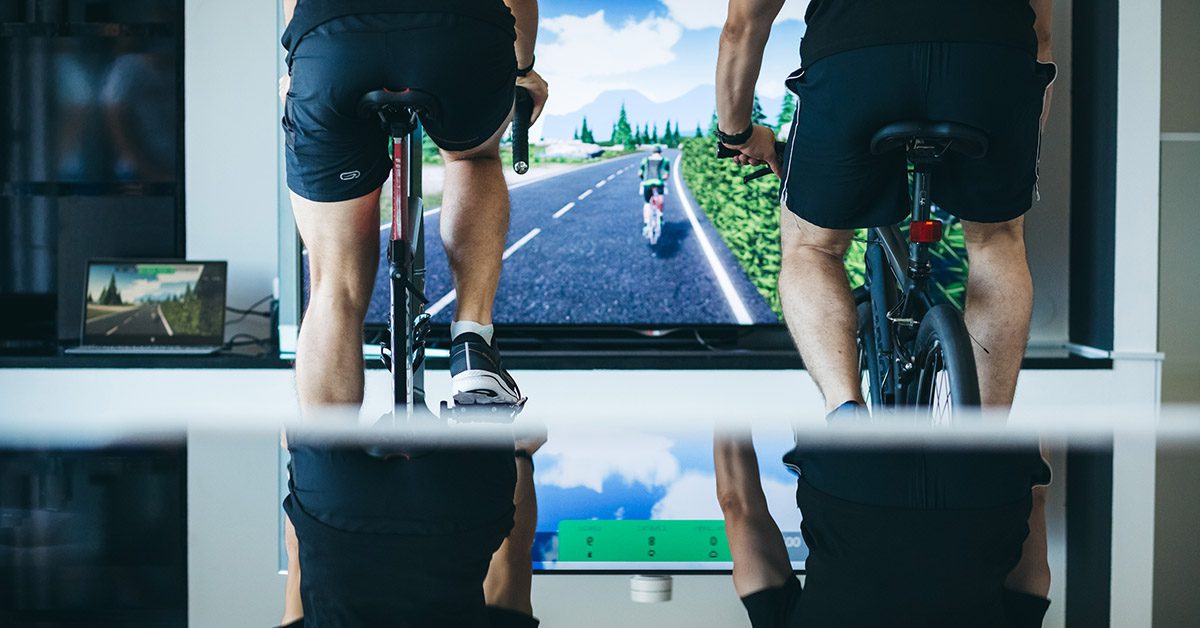
Zwift is an interactive online platform that lets you connect your bike and trainer to a computer, tablet or phone.
The ride takes place in virtual worlds such as Watopia, London, New York or the Alps, while the app automatically adjusts resistance and measures your power, cadence and speed.
🔑 Key features:
✅ Realistic ride simulation and different terrains
✅ Connection to smart trainers and sensors
✅ Training plans from professional coaches
✅ Live group rides and races
✅ Power-Up bonuses for extra fun
✅ Detailed performance analytics
This blend of technology and sporting spirit makes Zwift indoor cycling a perfect fit for recreational and advanced riders who want to stay in shape through the winter or when the weather doesn't allow riding outside.
⚙️ How to Set Up Zwift Step by Step
1️⃣ Prepare your gear:
🚲 A bike (preferably a road bike)
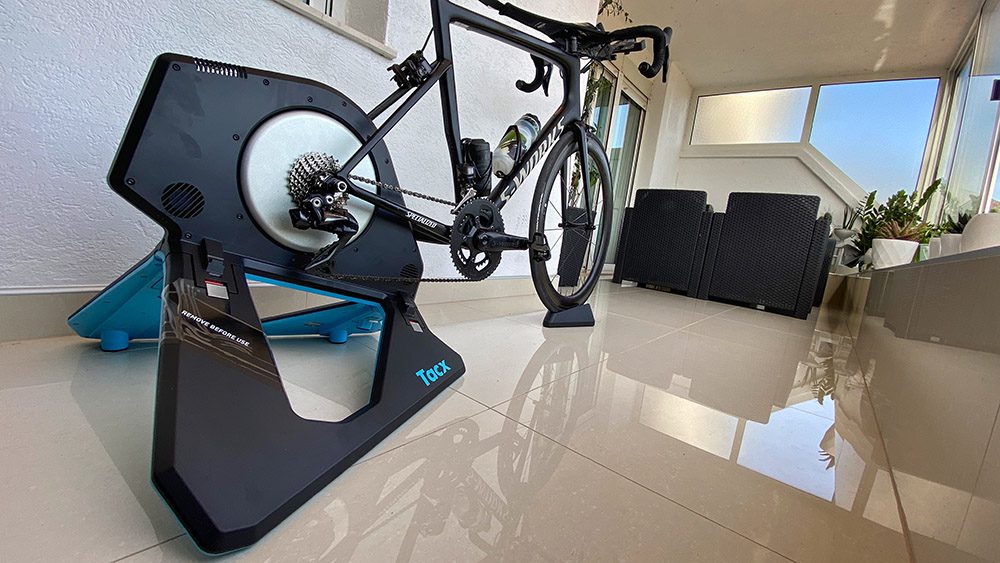
🌀 A smart trainer (e.g. Wahoo, Elite, Tacx)
📱 A computer, tablet or smartphone
📡 ANT+ or Bluetooth power and cadence sensors
💨 A fan and a sweat mat – your home “pain cave”
2️⃣ Sign up at Zwift.com and download the app
Enter your details (weight, height, sex) for accurate measurements.
3️⃣ Pair your gear and calibrate the trainer
If you use a smart model, be sure to do a spindown calibration for accurate power data.
4️⃣ Choose your ride type:
🆓 Free ride
📈 Structured workout
🚴 Group ride
🏁 Virtual race
5️⃣ Start riding and enjoy!
Track your stats (speed, power, XP points) and give “Ride On” 👍 to other riders.
💬 The Social Side of Zwift
Zwift is also a virtual community where thousands of cyclists gather every day.
With the Zwift Companion app you can:
📲 Send messages to groups and individuals
📅 Organize group workouts and races
💬 Chat while riding
🏆 Track your progress and join challenges
The “Ride On” feature lets you cheer on other cyclists during a ride – a digital round of applause for effort and motivation.
🏔️ vEveresting – The Biggest Virtual Challenge
If you want a real endurance test, there's vEveresting – the challenge of climbing 8,848 m of elevation on Zwift, the height of Mount Everest.
It's most often ridden on Alpe du Zwift, the digital version of the famous Alpe d'Huez.
💪 Tips for success:
Keep a steady pace and hydrate regularly
Plan your meals and energy
Track your progress and don't give up – every meter counts!
This challenge builds not only physical but also mental strength, while connecting you with thousands of other “vEverestors”.
🧠 Tips for a Better Zwift Workout
💡 Try new routes and collect XP points
💡 Ride in a group and use “drafting” for greater efficiency
💡 Do interval workouts to build strength
💡 Use Power-Ups tactically during races
💡 Stay consistent – Zwift rewards regular training
💡 Always warm up well before a demanding workout
⚡ The Zwift Ecosystem – More Than an App
Zwift offers a whole range of smart devices and accessories for the most realistic experience possible:
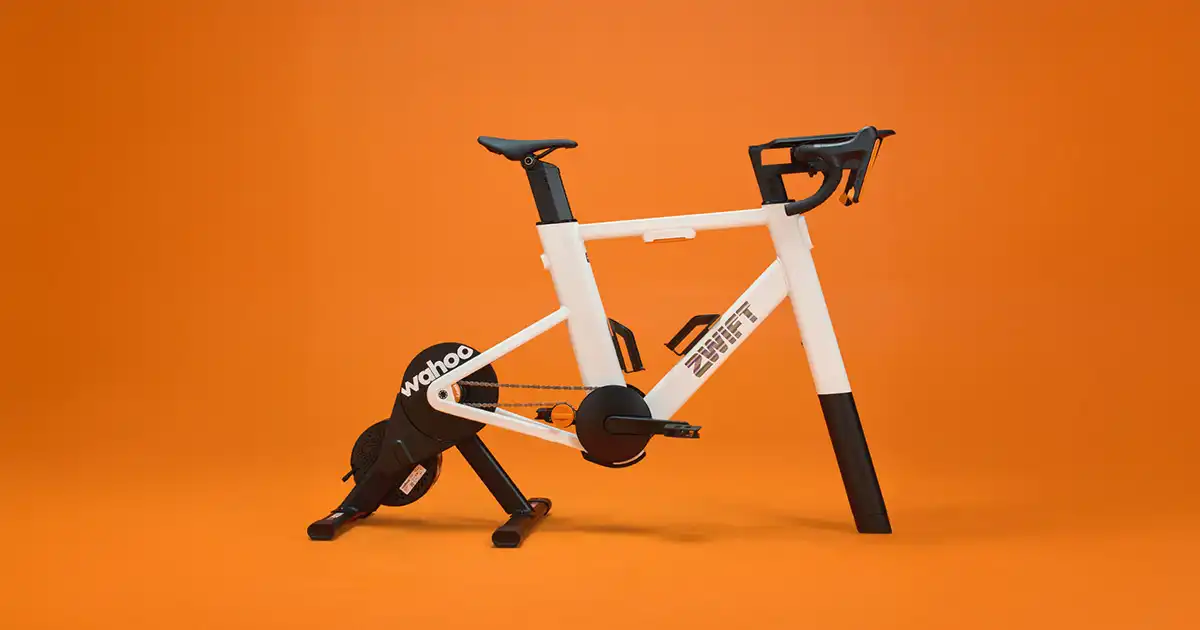
🔸 Zwift Ride Smart Frame – an integrated smart bike with a Wahoo KICKR CORE trainer
🔸 Zwift Cog & Click Kit – a system for shifting gears directly from the handlebars
🔸 JetBlack Trainer Table – a table for your tablet, bottles and fan
🔸 Zwift jerseys, mats and accessories for comfort on longer rides
In addition, partner platforms are available to users:
🌐 ZwiftPower.com – race analysis and results
📊 WhatsonZwift.com – calendar of events and workouts
📰 ZwiftInsider.com – news, guides and gear tests
💬 Forums.Zwift.com – the official community forum
Together they make up the Zwift ecosystem – a perfect place for cyclists who want to train smarter, not just harder.
🧩 Conclusion
Zwift indoor cycling brings a new dimension to training – from plain pedaling to a digital adventure.
For members of the MTB Evolution community, Zwift is an ideal tool for winter training, staying in shape and connecting with the global MTB world.
Whether you're a beginner or a racer, Zwift gives you the chance to train, learn and enjoy yourself – from the warmth of your own home.
💪 Join the virtual peloton and feel the power of modern cycling!
💬 FAQ – Frequently Asked Questions About Zwift
❓ Can I use Zwift with any bike?
👉 Yes, most bikes (MTB, road, hybrid) work on a trainer with the right adapter.
❓ Do I need a smart trainer?
👉 It's recommended – it changes resistance automatically and gives a more realistic ride feel.
❓ Does Zwift work without internet?
👉 No, you need a stable internet connection for pairing and syncing data.
❓ How much does a Zwift subscription cost?
👉 The monthly subscription costs around €15 (it varies by country).
❓ Can I race against friends?
👉 Of course! Zwift offers a “Ride With Friend” option and group races in real time.
What You Need for Zwift Indoor Cycling: Gear and Space
You don't need much to get started. Zwift indoor cycling works with several different setups, and the key is a stable bike and good ventilation.
- Smart trainer or sensors: a trainer passes your power to the app; alternatively, use a regular trainer plus a power or speed sensor.
- A device for the app: a computer, tablet or phone with a good Wi‑Fi connection.
- Fan: you sweat far more indoors than outside, so a fan is not a luxury.
- Mat and towel: they protect the floor and the bike from sweat.
- Trainer rear tire: if you ride on a trainer that presses against the tire, use a tire designed for trainers.
Tips for the first few weeks
- Start with short rides of 30 to 45 minutes at an easy pace.
- Do an FTP test once you've settled in, so your zones are accurate. Our cycling base training guide walks you through it.
- Join a group ride to make the time pass faster.
Zwift indoor cycling is great for winter, but it doesn't replace riding outside. For a winter plan, see our guide to winter MTB training, and for zones, our guide to training zones in cycling. Power data is explained in training with a power meter. Before the season, have your bike checked at the bike service.
How to Build a Winter Training Plan
Winter months are ideal for building a base, because the weather outside rarely allows long rides. A good indoor cycling training plan starts with a simple rule: two to three workouts a week – one easy and long, one interval session and one recovery ride. Increase total duration gradually by 5 to 10 percent a week, and make every fourth week easier so your body can absorb the load.
Power and heart rate zones
Training by zones helps you avoid going too easy or too hard. Zones one and two build endurance and burn fat, zone three is tempo, four is threshold, and five and six are short, high-intensity efforts. If you have a power meter or a smart trainer, determine your FTP – the highest power you can hold for roughly an hour – because most plans are built on it.
Sample week for recreational riders
- Monday: rest or an easy walk.
- Tuesday: 60 minutes in zone two, steady cadence of 85 to 95 rpm.
- Thursday: 4 × 8-minute threshold intervals with 4 minutes of recovery. For more ideas, try our speed pyramid interval workout.
- Saturday or Sunday: a longer ride of 90 to 120 minutes, preferably outside.
Space, Ventilation and Recovery
Indoor training creates a lot of heat and sweat, so a fan, a towel and a bottle of water are essential. The room should be well aired and the floor protected with a mat under the trainer, because sweat eats away at the frame's paint and drivetrain parts. Wipe the bike down after every ride and lubricate the chain from time to time, since sweat speeds up corrosion – our guide on how to lube a bike chain shows what to use.
Recovery and nutrition
Enough sleep, protein and carbohydrates within the first two hours after a workout, and regular hydration are decisive for progress. If you feel constantly tired, sleep badly or your power drops, reduce your volume and give yourself an extra rest day. Our recovery protocol for cyclists goes into more detail.
Moving from the Trainer to the Trail
A winter base pays off most when you carry that form onto the trail in spring. Start your first rides outside more gently, because a trainer doesn't teach balance, cornering technique or braking. Practice descending, cornering and working with your weight on the pedals, and keep your fitness up with short intervals. To prepare your bike before the season, check out our page on bike service, and try new trails at Bike Park Evolution.
Smart Trainer, Rollers or Direct Drive: Which to Choose
When buying gear for virtual training, there are three basic options. A wheel-on trainer that clamps onto the rear wheel is cheaper and easier to set up, but it's noisier and wears out your tire. A direct drive trainer replaces the rear wheel and offers more accurate power measurement, quiet operation and a more realistic feel, but costs considerably more. Rollers give the best sense of motion because you have to keep your own balance, but they demand more experience and aren't for everyone.
- Smart trainer: changes resistance by itself according to the gradient of the route and sends power, cadence and speed data.
- Regular trainer with sensors: a cheaper option, but you need to buy separate sensors.
- Rollers: ideal for practicing pedaling technique and balance, less so for long intervals.
Pedaling Technique and Cadence Indoors
Zwift indoor cycling sessions are extremely useful for working on cadence. The goal is a smooth pedal circle, without a pronounced dead spot at the top and bottom. Most recreational riders do best at 85 to 95 revolutions per minute, while sprint intervals go above 100. Occasionally ride with one leg for a minute or two to feel where in the circle you lose power, then return to normal riding.
Bike position and comfort
Long hours in the same position put strain on your back, neck and palms. Set the saddle height so your knee stays slightly bent at the bottom of the pedal stroke, and adjust the handlebar height to your flexibility. If you start to feel numbness or pain, stop the workout briefly, stretch and check your bike setup.
Motivation and Consistency
The biggest challenge of Zwift indoor cycling isn't physical but mental. A clear goal helps – for example 1,000 kilometers by the end of winter – as does arranging to ride at the same time as friends. Music, series and video content can ease the monotony of easy workouts, while intervals are best ridden with your full attention on the numbers. Write down how much you rode and how it felt, because looking back at your progress gives you momentum when willpower fades.
Safety, Hygiene and Indoor Gear
Place the trainer on a flat, stable surface and fasten the bike firmly according to the manufacturer's instructions. A fan in front of you is a must, because without airflow your body overheats faster. A mat protects the floor, and a towel over the handlebars protects the frame from sweat. Check tire pressure and bolt tightness from time to time, because vibration loosens connections over time.
Before you make the seasonal switch back to trail riding, have your bike checked at our bike service and try new trails at Bike Park Evolution.
Beginner Mistakes That Slow Your Progress
Most newcomers to Zwift indoor cycling make the same mistakes in the first weeks. The first is too much ambition: riding too hard, without a plan, so after two weeks burnout and fatigue set in. The second is skipping the warm-up, because ten minutes of easy spinning prepares your muscles and heart for the rest of the workout. The third is poor cooling, which leads to sudden exhaustion and weaker performance.
- No plan: without a goal and a schedule it's easy to give up.
- Too little rest: progress happens during recovery, not during training.
- Poorly adjusted bike: the wrong saddle and handlebar position causes pain and slower progress.
- Neglected nutrition: without enough carbohydrates a workout doesn't give the desired effect.
How long does it take to get used to it
For most people, three to four weeks of regular training is enough for the body to adapt and for motivation to settle. Don't be afraid of short workouts of 30 to 45 minutes, because consistency matters more than length. Once you're used to the rhythm, gradually add intervals or longer rides and pay attention to how you feel.
Sources and further reading
- Zwift – official website – the app and instructions
- Zwift (Wikipedia) – about the platform