🚴♂️ iGS630S review – an affordable alternative to the Garmin Edge series
📍 iGS630S review: Tested in East Sarajevo, in cooperation with the Planet Bike (OUTDOOR SPORT) team, the iGS630S proved to be an exceptionally capable cycling computer that delivers top-level performance without complexity and at a fair price. Test by Marko Ristivojević, MTB Evolution
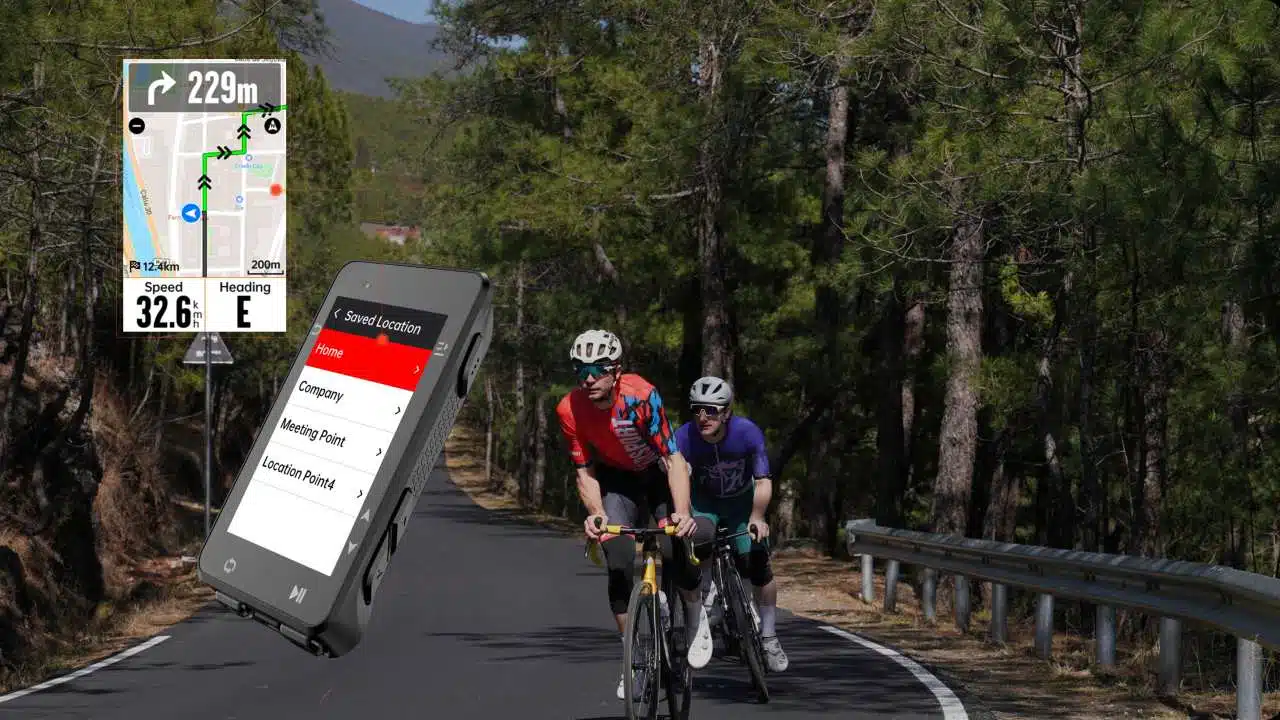
🔍 Key iGS630S specifications
📱 Display: 2.8″, 400×240 px
📏 Dimensions: 92 × 52 × 16.5 mm
⚖️ Weight: 88 g (device) + 10 g (mount)
💾 Internal memory: 16 GB
🌐 Connectivity: BLE 5.0 + ANT+
💧 Water resistance: IPX7
🔋 Battery: 1,700 mAh – up to 45 h of runtime
🔘 Buttons: 6 physical, plus a buzzer

🧭 Navigation and maps
🗺️ The iGS630S uses OSM maps that you need to install manually. Once you download the map for Bosnia and Herzegovina (~10 MB), you get turn-by-turn navigation too – ideal for mountain and road routes.
🔄 The tested unit had very precise navigation, almost identical to the Garmin Edge 1040.
🧪 Performance and accuracy
✅ During testing, speed, altitude and distance were almost identical to those on the Garmin Edge 1040 Solar.
📊 Differences we noticed:
Garmin recorded a slightly longer route (a pause did not stop recording)
The iGS630S recorded fewer calories, but it logged laps, cadence and heart rate precisely via ANT+ sensors.
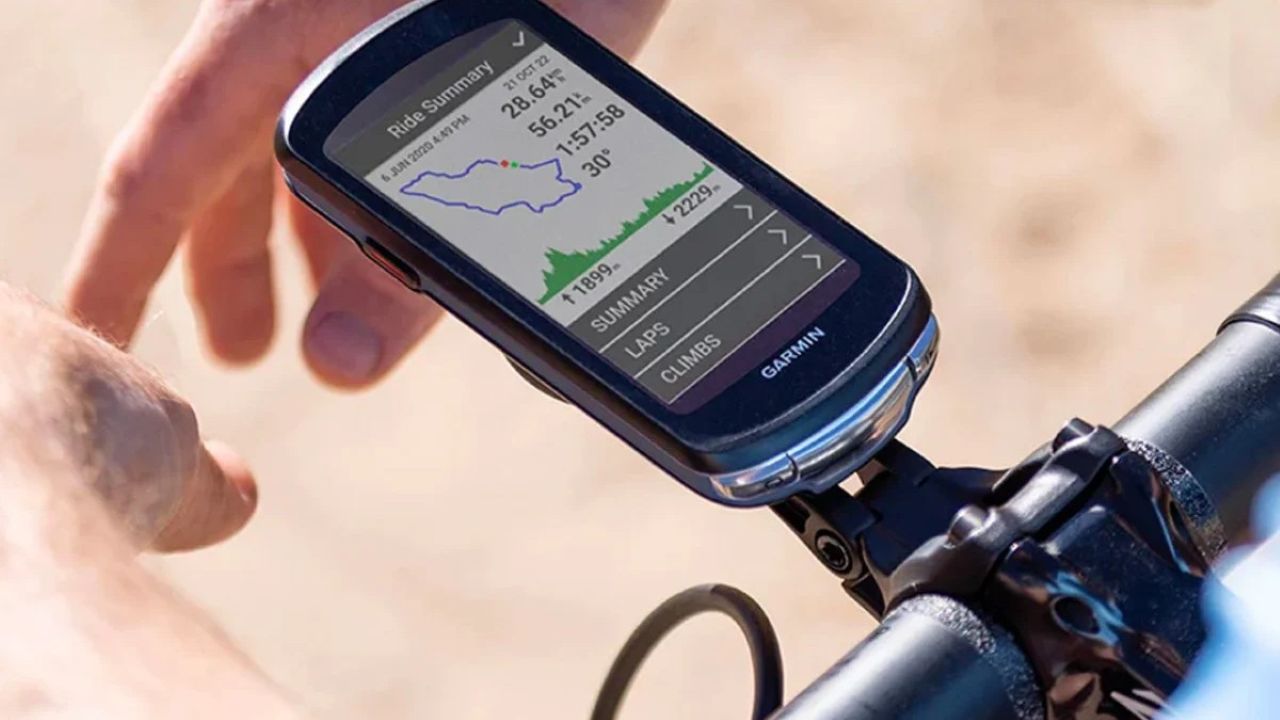
⚙️ Compatibility and features
🔗 Connects with:
🚲 Sensors: speed, cadence, heart rate (ANT+)
⚡ Power meters supported
🔦 Garmin Varia radar supported
⚙️ Electronic shifting: SRAM eTap, Campagnolo EPS, Shimano Di2
🧠 Extra features:
📱 Smart notifications
📈 Statistics with 13 customizable pages
🏋️♂️ Compatibility with smart trainers
⚖️ IGPSPORT vs Garmin Edge 1040 Solar
| Feature | IGPSPORT iGS630S | Garmin Edge 1040 Solar |
|---|---|---|
| 🧭 Navigation | Turn-by-turn (after installing OSM) | Built in, ready to use |
| 🔋 Battery | Up to 45 hours | Up to 45+ hours with solar charging |
| 📊 Accuracy | High (differences are minor) | Top-level |
| 💵 Price | Much cheaper (~1/3) | Premium segment |
| 🌐 Display | Smaller, no touchscreen | Larger, touchscreen |
💬 Conclusion
📌 IGPSPORT iGS630S is an excellent cycling computer for MTB and road riders, especially those who want a Garmin alternative at a much lower price. Together with Planet Bike (OUTDOOR SPORT), we tested the device in real conditions and confirmed that it meets the demands of even advanced users.
Who the IGPSPORT iGS630S is right for
The bottom line of this iGS630S review: after the test, it is clear to me who this cycling computer suits. The IGPSPORT iGS630S is a smart choice for riders who want navigation and accurate ride tracking without paying the price of the most expensive models.
- Recreational and MTB riders who need navigation along GPX tracks and an overview of basic data on the screen.
- Riders on a budget who want functionality similar to more expensive devices.
- Coaches and riders with a power meter, since it supports ANT+ and BLE sensors.
If you want the most advanced features, such as solar charging or a deep app ecosystem, you will probably stay with Garmin.
What to look for when choosing a cycling computer: the iGS630S review in practice
- Battery life. For long rides and marathons you need a device that lasts all day.
- Navigation and maps. Check whether the device can load routes and how maps are installed for your region.
- Sensor compatibility. ANT+ and Bluetooth let you connect heart rate, cadence and power meters.
- Water and impact resistance. On an MTB the device has to handle mud, rain and vibration.
- Software and syncing. It is practical when rides transfer easily to platforms like Strava.
Mounting and setup
Mount the device securely on the handlebar and set up the screens for the type of ride: heart rate and power for training, the map and next turn for navigation. Accuracy and navigation depend not only on the device, but also on the quality of the route you load. If you need help mounting it on your bike or connecting sensors, contact our bike service. You can calculate your training zones with the guide training zones in cycling.
Pros and cons after trail testing
After several weeks of riding the trails around East Sarajevo, our impressions are consistent. The device is light, the screen is readable even in strong sunlight, and ride recording is reliable even on demanding terrain. The biggest advantage in this iGS630S review is the value for money, since a cycling computer of this level usually costs much more.
- Pros: long battery life, accurate speed and altitude measurement, support for ANT+ and Bluetooth sensors, physical buttons that work with gloves, affordable price.
- Cons: maps are installed manually, the screen is not touch-sensitive, and the phone app lacks some options found on more expensive competitors.
First setup and useful tips
Before your first ride, pair the device with your phone, update the software and load the map of your region. The process is simple and takes less than half an hour. Then set up your data screens: for training, heart rate, power and average speed are the most useful, while navigation and remaining distance matter most for trips and marathons. That quick setup is a big part of why this iGS630S review is so positive.
Navigation along GPX tracks
Routes are planned on a computer or phone and then transferred to the device. Before you set off, check that the route has loaded correctly and that it follows the trails you actually ride. You can find ready-made tracks on Evolution Maps with GPX downloads. On local MTB trails, markings on maps sometimes lag behind the real situation, so it is good to have a backup plan.
Battery and charging
Lower screen brightness and switching off unnecessary sensor connections extend battery life considerably. For multi-day trips, bring a small power bank; the device charges over a standard USB cable.
Frequently Asked Questions
Is this cycling computer good for MTB?
Yes. It is water- and mud-resistant, holds firmly on the mount, and the button controls are practical when riding rough terrain.
Can it replace more expensive devices?
For most recreational and training rides, yes. Riders who want solar charging, a touchscreen and a rich ecosystem will stay with more expensive models.
How long does the battery last?
Up to 45 hours according to the specifications. Lower screen brightness and switching off unused sensor connections extend it further, and the device charges over a standard USB cable.
How do I get maps on the device?
The iGS630S uses OSM maps that must be installed manually. The map for Bosnia and Herzegovina is about 10 MB, and once it is installed you get turn-by-turn navigation.
Which sensors and accessories does it work with?
It connects via ANT+ and BLE to speed, cadence and heart rate sensors, power meters and the Garmin Varia radar. It also supports the electronic shifting systems SRAM eTap, Campagnolo EPS and Shimano Di2.
How to choose a cycling computer for your riding style
When buying a cycling computer, the most important thing is knowing what you will use it for. A recreational rider is fine with a device that records speed, distance and altitude, while a more serious rider wants power, cadence and heart rate tracking, as well as navigation along pre-planned routes. Before deciding, ask yourself a few questions: how often do you ride, how long are your rides, do you ride off-road, and do you need audible navigation?
Display, buttons and readability
On a mountain bike, vibration, mud and gloves make a touchscreen harder to use. That is why many riders prefer physical buttons, since they work in all conditions. The screen has to be readable in strong sunlight, with enough contrast that a glance at the data takes a fraction of a second.
Battery, maps and syncing
For all-day rides, look for a device that lasts at least thirty hours. Check whether you can download maps for free and how much memory they take up. It is practical when rides are sent automatically to Strava or a similar app, so you can track progress without manual transfers.
Sensors and accessories
A good device supports ANT+ and Bluetooth, so you can add a heart rate sensor, cadence sensor or power meter when the time comes. A mount that grips the handlebar firmly and a strap with a safety tether stop the device from falling off on rough terrain. For help with mounting, turn to our bike service.
Route planning and preparation before you set off
A good ride starts at home. Before leaving, open your planning app, choose a track, check the length, elevation gain and surface, then transfer it to the device. For mountain trails, it helps to look at the satellite view to see whether any sections are too hard for you. If you are riding in a new area for the first time, ask local riders about trail conditions, because things change after rain or trail works.
Check before every ride
- Charge the battery and make sure the software is up to date.
- Load the route and check that it shows on the screen.
- Set up the data pages for the purpose of the ride: training, trip or race.
- Pair your sensors and check that all of them are sending a signal.
Pair this routine with our 10-minute pre-ride bike check so both the bike and the device are ready.
Analyzing your ride after you get back
The real value of a cycling computer shows only at home. Review speed, heart rate, cadence and the elevation profile, compare them with previous rides and spot where you lose time. On climbs you care about an even pace, and on descents about your lines and rhythm. All of this is easier when the data is clean, the device is mounted well and the sensor signal is stable.
Device maintenance
Wipe the screen with a soft cloth from time to time, check the mount and replace the rubber bands if they have stretched. Do not leave the device in the sun in a parked car, and avoid charging at extremely low or high temperatures, as this shortens battery life.
Sources and further reading
- IGPSPORT – official website – specifications and support for devices
- Cycling computer (Wikipedia) – overview of cycling computer features
